have you noticed that some ads on YouTube that aren’t skippable can’t be reported?
admin / March 20, 2026
Does it seem in the past year there have been an increase in the amount of advertisements on YouTube before a video plays and throughout the video? if you don’t have an ad blocker installed or if you haven’t upgraded to YouTube premium which gives you an ad free experience with the exception of YouTube TV you probably noticed there has been an increase in the amount of advertisements.
we probably all can agree that advertisements are necessary in order to keep the service Free of charge however I do think there should be a balance between the right amount of ads free of charge however I do think there should be a balance between the right amount of ads and where it becomes excessive.
Showing a video advertisement is nothing new as many of the local TV stations including national media websites like CNN, MSNBC have done this for quite some time only recently YouTube roll this out which I’m surprised they didn’t do this sooner on just about all videos uploaded to YouTube.
there is a small trick that if you want to skip the advertisement although at this point it isn’t pretty much worth it especially after five seconds you’re able to skip the commercial however there are some commercials that aren’t skippable and this is where this trick comes into play or at least used to come in to play.
When the commercial starts playing this is key you need to allow at least two seconds of the commercial to play then you click on the little (i), that is on the bottom left-hand corner which then reveals a information screen to tell you more about the advertisement, such as who is the advertiser, why are you seeing the advertisement and then there’s a button that you can click on that says “stop seeing this ad” as seen below.
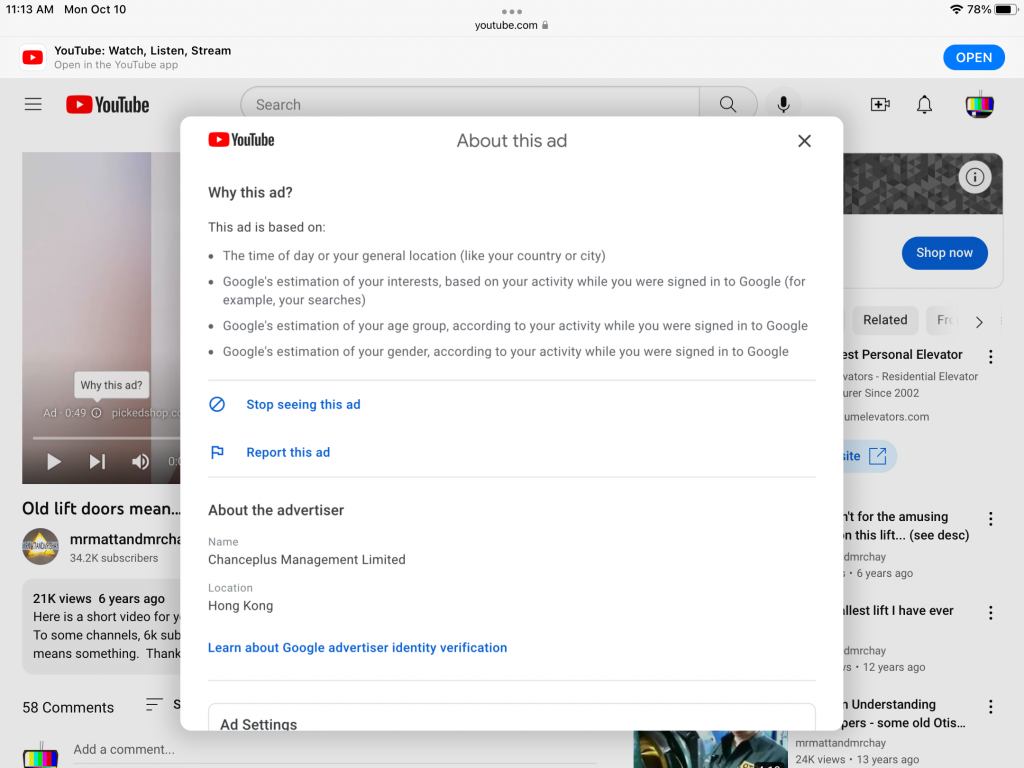
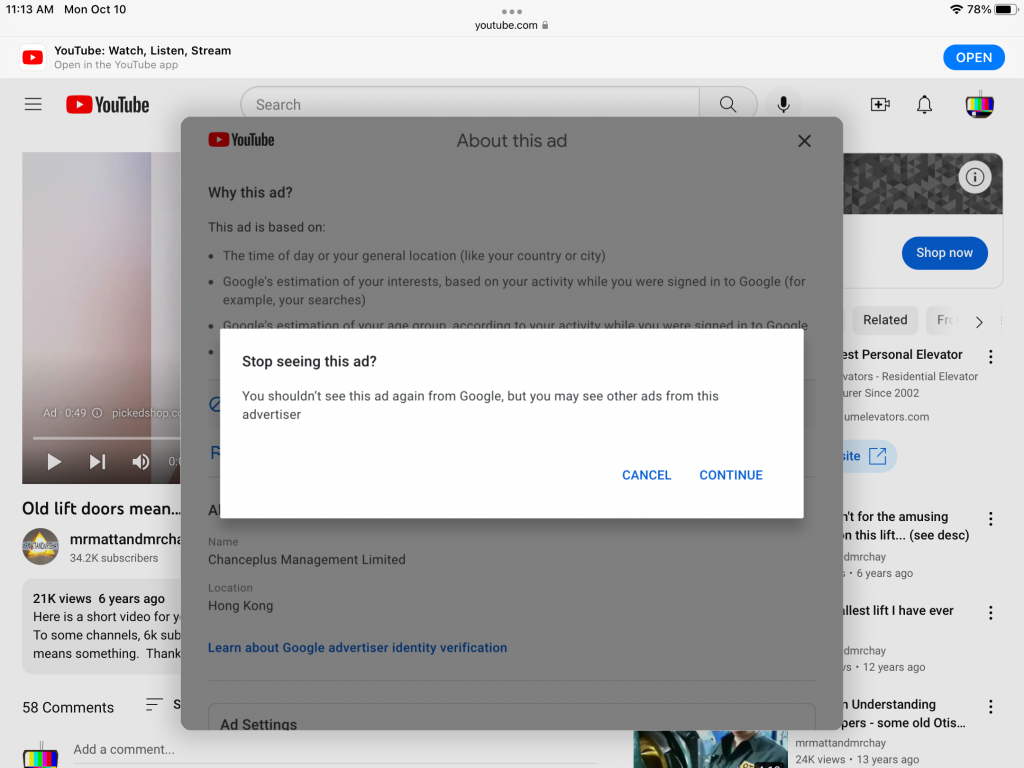
When you click on this button “stop seeing this ad“, it is basically a confirmation to make sure this is really what you want, when you click on continue.
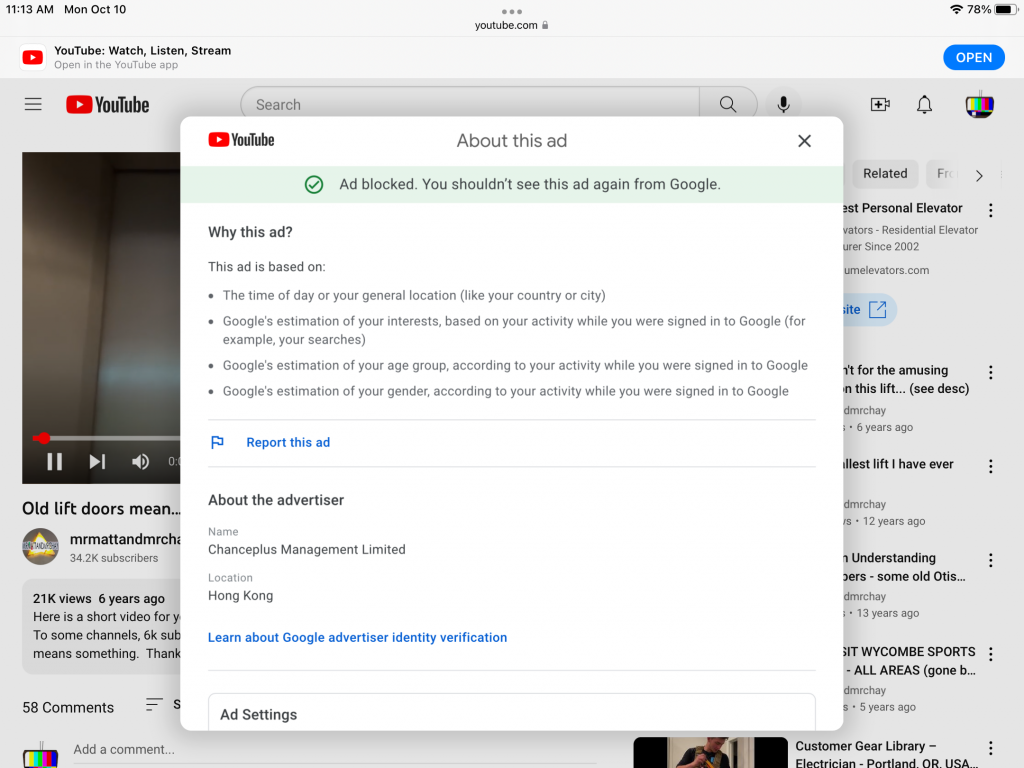
In the screenshot below this is telling you that the advertisement is now blocked and that you shouldn’t see it from Google although other users I’ve said even though they have clicked on stop seeing this ad and Google gives this confirmation sometimes this ad will still be shown. This does not remove advertisements. how do you click on the X that is located on the top right hand corner the video that you want to start watching is now shown.
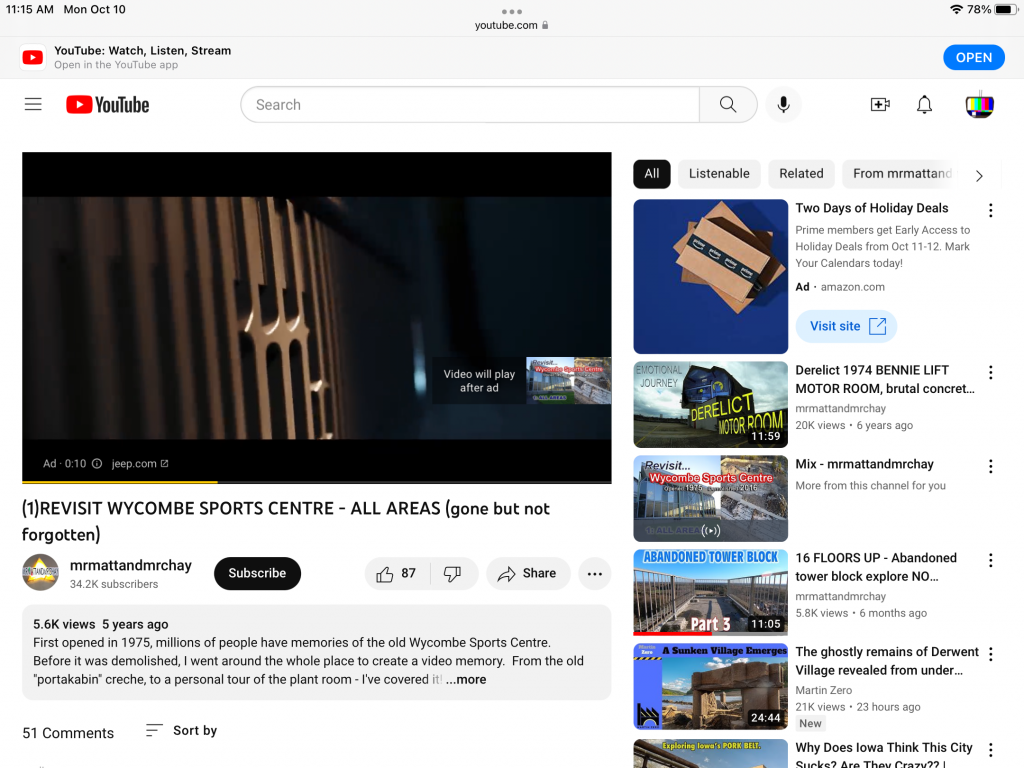
Not all advertisements show this button “Stop seeing this ad” especially if they are non-skippable as seen in the screenshot below. notice how this advertisement cannot be skipped? if you click on the the information to learn more about this advertiser you’ll notice something is missing and that is the ability to say stop seeing this ad.
YouTube has also gone as far as in some cases if you click on stop seeing this ad, continue you’ll see the confirmation that you won’t see this ad from this advertiser but when you click on the X to close out the confirmation dialog box it will automatically go back to the users list of videos or if you came from the search results page it will go back to that page and the only way you would be able to watch the video if you watch the advertisement by letting it play all the way through or if they allow you to skip it.
it seems like YouTube is being more and more aggressive about making watch video ads and I honestly don’t think it will be too long before they block you from accessing YouTube unless you disable your ad blocker.