The White House website archives of past Presidents and you can view the live copy as well
admin / February 18, 2026
Every four or eight years, when a new president is elected, it is out with the old president — along with their significant other, children/kids, pets, personal belongings, and even the décor they selected for the White House. The physical transition is visible: moving trucks arrive, staff changes occur, and the residence is prepared for a new First Family. But beyond the changes inside the historic building itself, another transformation takes place, and that involves whitehouse.gov, which also undergoes a transition.
Just as the residence reflects the style and priorities of a new administration, the official website is redesigned to represent the incoming president’s agenda, messaging, and tone. What the public sees online becomes the digital front door to the presidency.
During the administration of Bill Clinton, the White House launched its official website in 1994, marking the birth of “whitehouse.gov” and the beginning of the presidency’s formal online presence. This represented a significant shift in how the executive branch could communicate with the American people. Until then, communication was primarily delivered through traditional media such as radio and television.
At that time, nearly every household had access to a radio, a television, or both. However, computers were far less common. Unlike today — when many families have multiple computers, smartphones, and tablets — the early to mid-1990s were very different. Computers were expensive, internet access was limited, and smartphones and iPads did not yet exist. The idea of visiting the White House online was, in many ways, ahead of its time.
Today, anyone can look back at the evolution of whitehouse.gov by visiting the National Archives and reviewing preserved versions of past administrations’ websites. What began as a relatively simple and basic digital platform has gradually evolved into a far more advanced, interactive, and feature-rich site. The transformation reflects not only technological progress, but also changing public expectations about transparency, accessibility, and direct communication from the presidency.
While the occupants of the White House may change every four or eight years, the digital record of those transitions remains — offering a snapshot of how each administration chose to present itself to the American people in its time.
Clinton/Gore (D) 42nd President/VP from 1993 to 2001
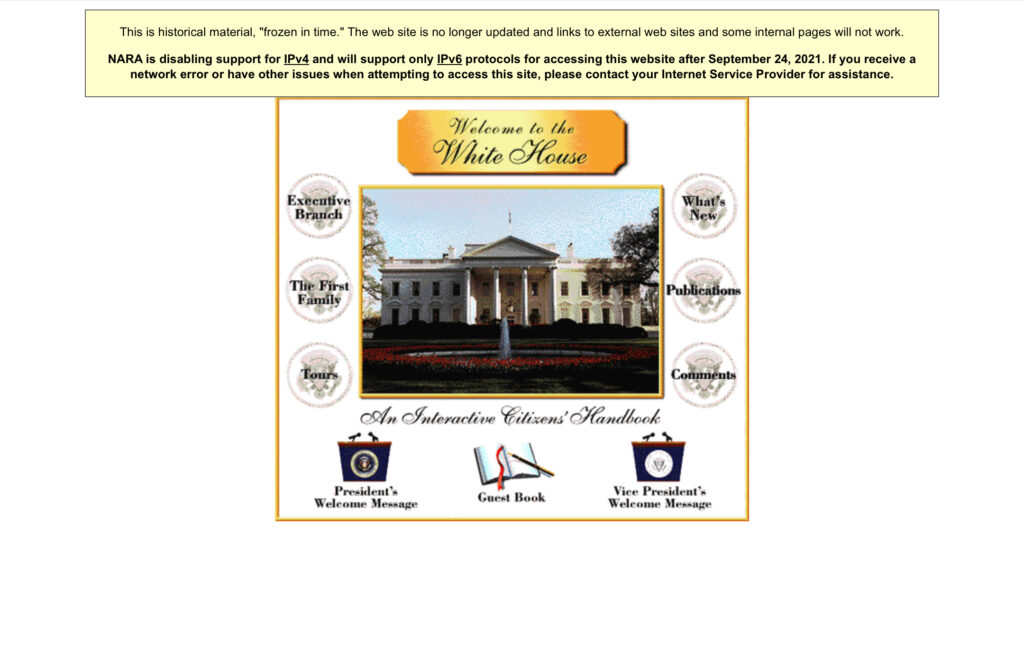
Screenshot of whitehouse.gov during the Clinton administration
According to U.S. National Archives, they explain the different versions of why President Bill Clinton has a collection of six different versions of whitehouse.gov. To read their explanation, please visit https://www.archives.gov/presidential-records/research/archived-white-house-websites.
- https://clintonwhitehouse1.archives.gov
- https://clintonwhitehouse2.archives.gov
- https://clintonwhitehouse3.archives.gov
- https://clintonwhitehouse4.archives.gov
- https://clintonwhitehouse5.archives.gov
- https://clintonwhitehouse6.archives.gov
Bush/Cheney (R) 43rd President/VP from 2001 to 2009
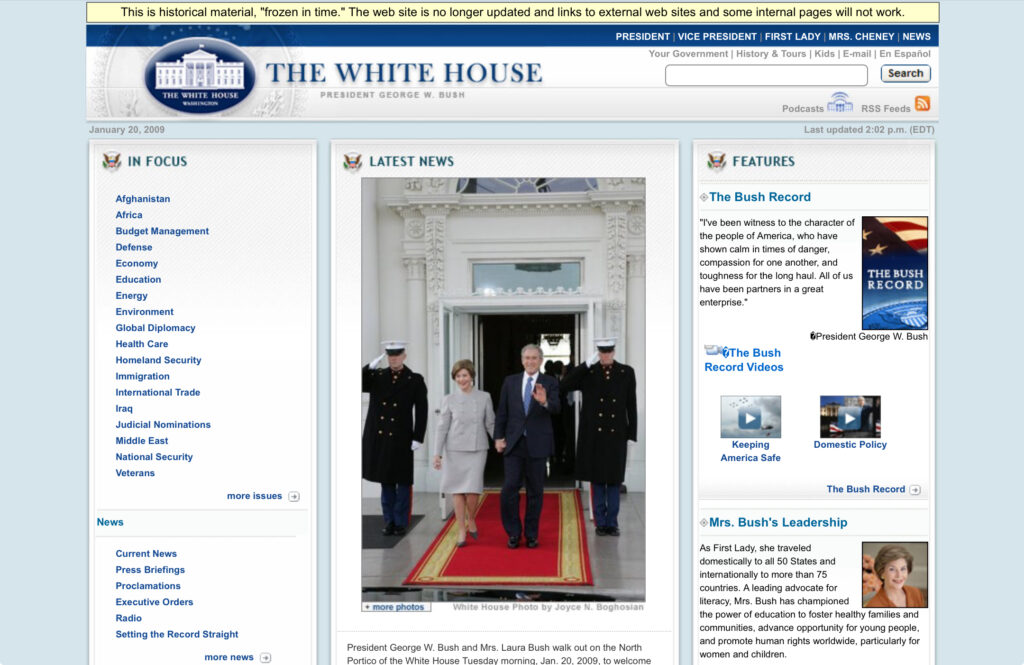
Screenshot of whitehouse.gov during the George W. Bush administration.
When George W. Bush was sworn into office, there was a huge transformation of whitehouse.gov, going from the rather basic look and gold-ish theme to a white and blue theme. When Bush took office in 2001, more and more people were online accessing the internet, and this was also when Microsoft released Windows XP, which enhanced the user experience.
While the Clinton era of the site did offer some videos and audio recordings, the Bush era really embraced this, and they would live stream from their own platform. By the time Bush’s term was up and Obama was going to be the 44th President,.
https://georgewbush-whitehouse.archives.gov
Obama/Biden (D) 44th President/VP from 2009 to 2017
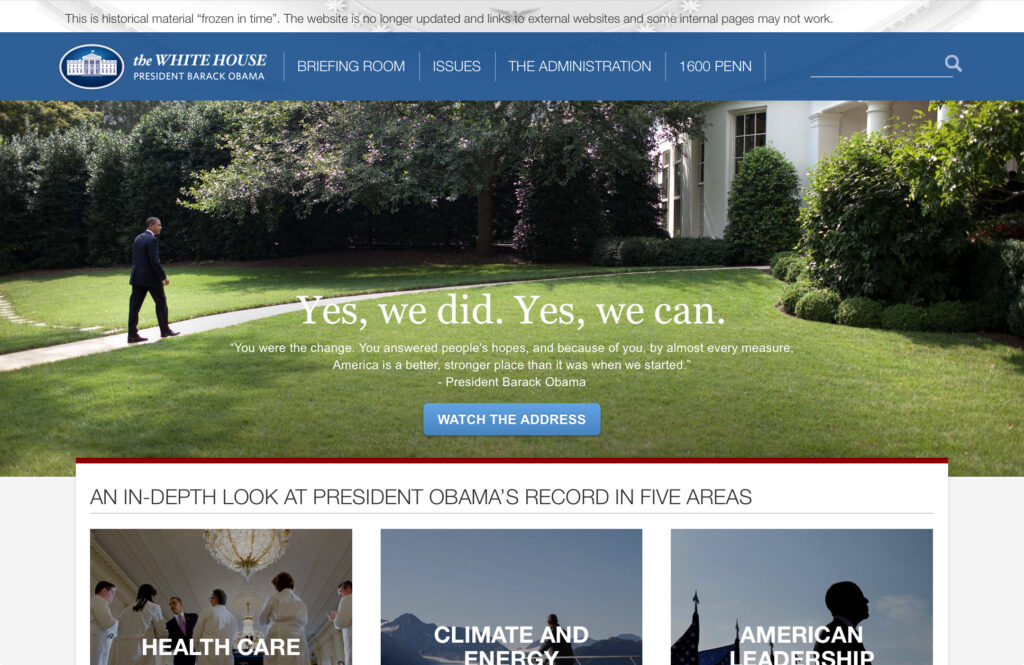
Screenshot of whitehouse.gov during the Obama administration.
When President Obama took office, whitehouse.gov still followed the blue and white theme, although pretty much everything had completely changed compared to the Bush administration’s whitehouse.gov. In the theme under Obama, there was a banner that showed an image to highlight important information that was static like this, or it had slides that would change.
A new feature was added during the Obama administration. They launched something called “We the People” that allowed anyone to create a petition on whitehouse.gov, and if it reached 100,000 signatures, it would receive an official response from the White House. Unlike the previous administrations, Bill Clinton and George Bush didn’t offer this, and unfortunately, when President Trump took office during his first term, he did away with this entirely. When Biden took office, he did not restore this either.
The use of live streaming became the norm, and they did away with live streaming directly from whitehouse.gov, instead switching to YouTube to stream all of the press conferences and White House press briefings. What still remains from the previous presidents is whitehouse.gov/live. Although it no longer has its own video player, it now embeds a YouTube video player and still lists the upcoming events.
https://obamawhitehouse.archives.gov
Trump/Pence (R) 45th President/VP from 2017 to 2021 (1st term)
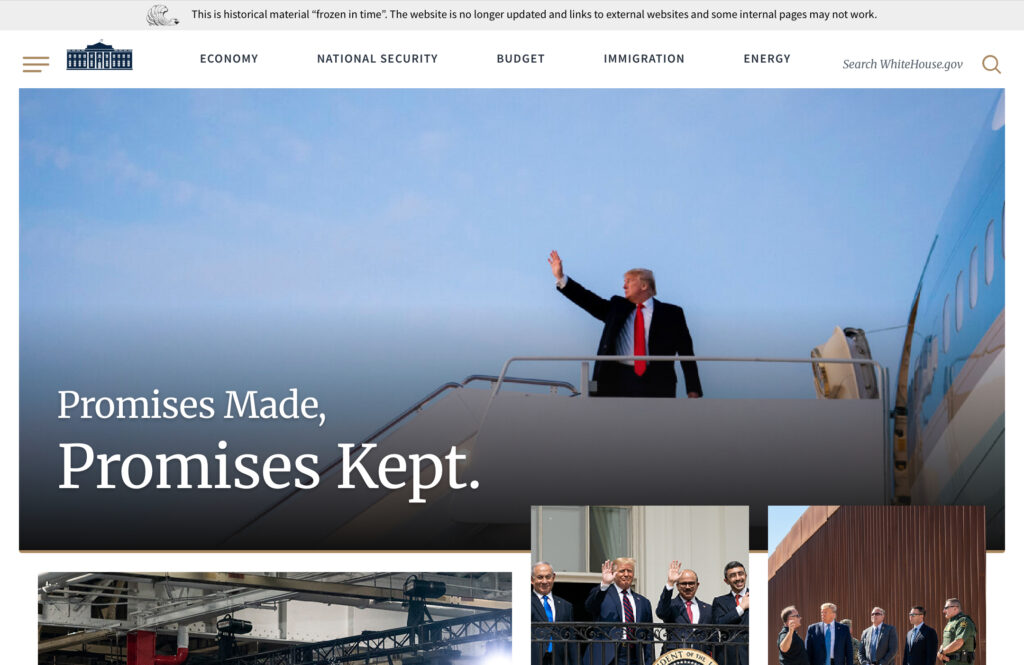
Screenshot of whitehouse.gov during the Trump’s administration (First term)
When Trump took office, the site’s theme changed from the white and blue theme to a more all-white and light gray theme. In the theme under Obama, there was a banner that showed an image to highlight important information that was static or had slides that would change. This was also kept with the redesign for the Trump administration’s version. They also added more photos to highlight different events as well.
While the government’s official way of communicating with the people is through whitehouse.gov, President Trump frequently used Twitter as a primary communication tool, choosing to move away from the traditional use of whitehouse.gov and the press, as he often would call them names, clash with them, or say they were printing lies.
With Trump using sites like Twitter, the White House and other government agencies soon began to more actively use social media — not just the legacy use of .gov sites and the press — but to go where the people are.
https://trumpwhitehouse.archives.gov
Biden/Harris (D) 46th President/VP from 2021 to 2025 (Only one term)
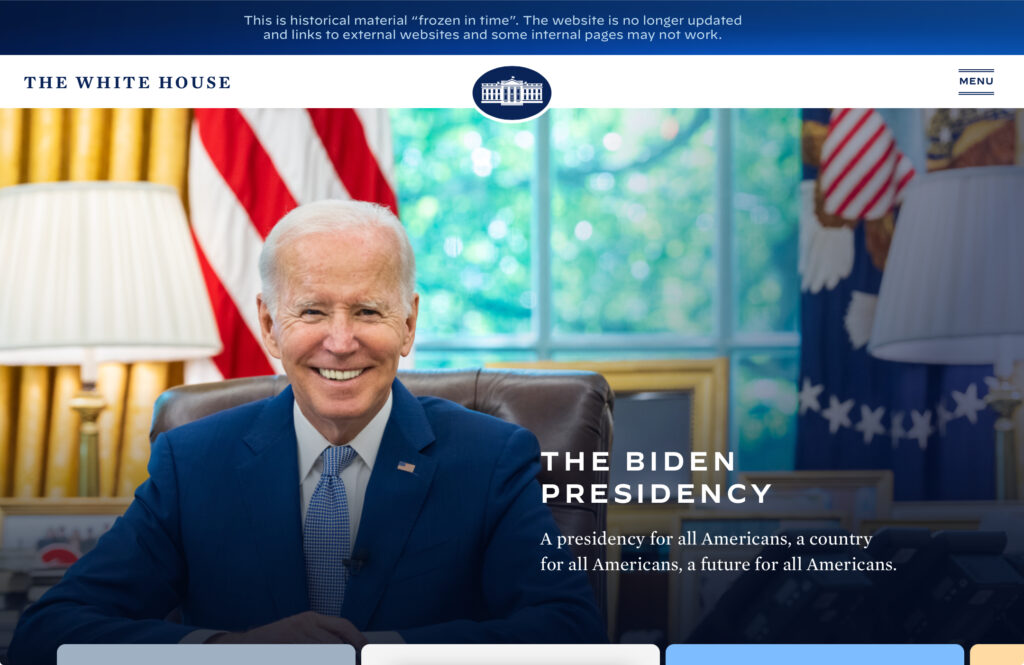
Screenshot of whitehouse.gov during the Biden administration.
When Biden took office, the white and blue theme was restored, and following the past two administrations, they also kept the banner that shows an image to highlight important information that was static or had slides that would change. This was also kept with the redesign, and they stayed with the theme of using more photos.
During Biden’s term in office, this was also during the height of COVID-19, so many places were closing or limiting the number of people who could be in a space, as social distancing was required. The use of social media was also continued in the Biden era, and to allow people to see the White House, they offered a more updated version of the virtual White House tour.
https://bidenwhitehouse.archives.gov
Trump/Vance (R) 47th President/VP from 2025 – 2029 (2nd term)
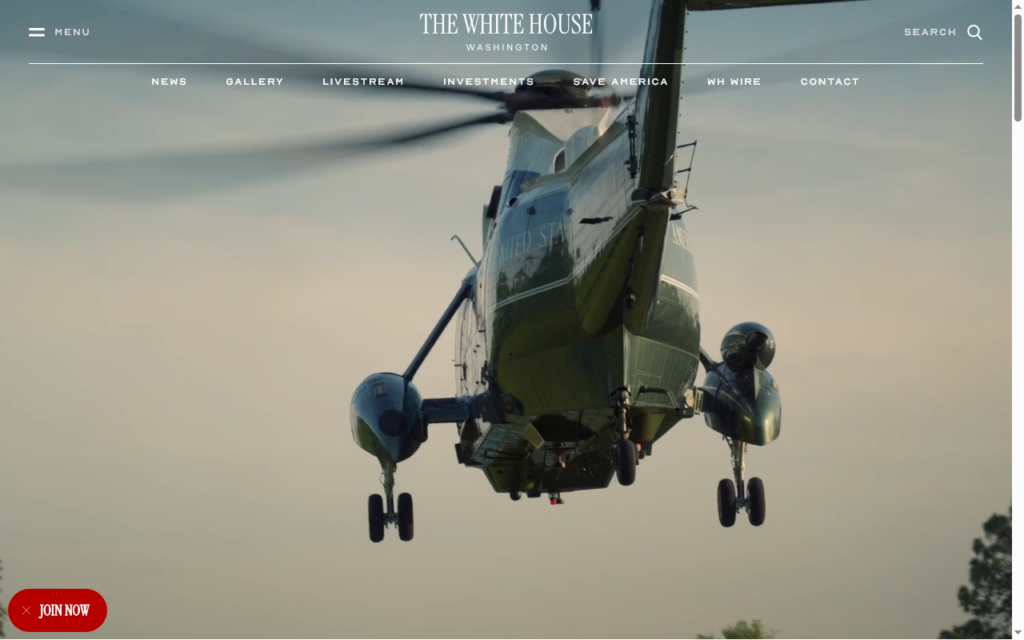
This is screenshot of whitehouse.gov as of Tuesday, February 17, 2026 (Trump’s 2nd term)
Looking at the current whitehouse.gov website, the site follows more of the same themed layout. However, what is different from the other versions — and from Trump’s first term in office — is the use of a video that plays on a loop, and the navigation bar almost blends into the background to allow the video to play almost unobstructed. When you hover over the navigation bar, it does turn white, and you can then click on the links.
As you scroll down, the site looks more like a basic theme with almost all photos and very little text, but each photo is representing something. For example, it shows police on horseback securing the border, and a photo inside of a steel plant to show growing the economy. When you stay on a photo for a few seconds, it transitions into a video, and you can also click on the photo or video to be taken to a page.