Monopoly GO!: Did you get an invitation to take a survey?
admin / September 11, 2026
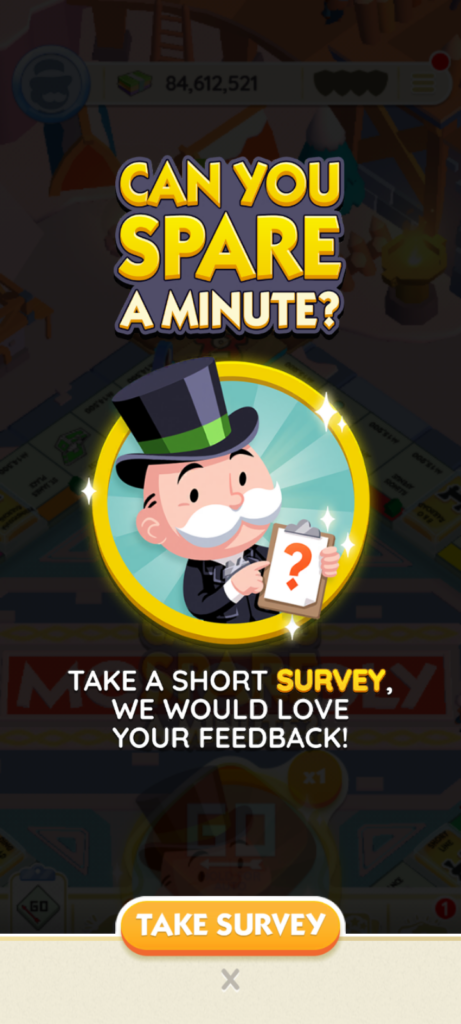
Monopoly GO! recently rolled out an in-game survey prompt titled “Can you spare a minute?” to active players. As is typical with Scopely’s approach, the survey was not available to everyone—the developers frequently test new features, events, and prompts on select player segments before a wider release.
Upon opting in, players were redirected to an external questionnaire. The survey focused narrowly on specific mechanics rather than overall game design or general player satisfaction:
- Core Focus: The questions centered almost entirely on three mechanics: shutdowns, building, and upgrading landmarks.
- Question Format: Most items used a standard 5-point scale (Strongly Agree to Strongly Disagree), followed by open-ended prompts asking players to explain their choices.
- Emotional Perception: Several questions gauged player emotion regarding target mechanics—asking how players feel when their landmarks are destroyed, and specifically if they feel targeted when a shutdown occurs.
Despite taking significantly longer than the advertised “one minute,” the survey offered no completion rewards—such as free dice rolls or sticker packs—and provided no open-ended opportunity to share feedback on other aspects of the game. At the end, players were asked to voluntarily submit personal information, including their full name, email, phone number, and mailing address.
Note: While personal details (name, email, phone number, etc.) are requested at the end to join future survey panels, submitting this information is entirely optional and not required to complete the survey.
Alternative Ways to Provide Feedback
Whether or not you receive the survey, you can share your thoughts with the developers using any of these methods:
Method 1: Post-Board Prompt
When you finish a board, an in-game prompt often appears asking if you are satisfied: “I’m satisfied” or “I’m not satisfied.”
- Tapping “I’m satisfied” lets you continue playing.
- Tapping “I’m not satisfied” automatically opens a support ticket where you can write your feedback directly. (This is just a fast track as doing the steps in method two (2).
Method 2: In-Game Settings (Anytime)
Tap the menu icon (three horizontal lines) in the upper right corner of your screen > Select “Settings”, then tap “Customer Service”. > Tap the idea icon in the upper right corner of the Customer Service screen. > Enter your feedback, tap the arrow in the bottom right corner, and follow the prompts to leave a message or start a live chat.
You can close out of the chat at any time. When a representative replies, a red dot will appear to notify you. Live chat responses typically arrive within about five minutes, though times may vary.
Method 3: Official Discord Server
Join the official Monopoly GO! Discord server at https://discord.com/invite/officialmonopolygo.
Head to the designated feedback or suggestions channel to post your feedback directly for the community management team to see.